01
Admin
Open the worker’s day
In People, open a worker and the relevant day. The plus action offers Report problem.
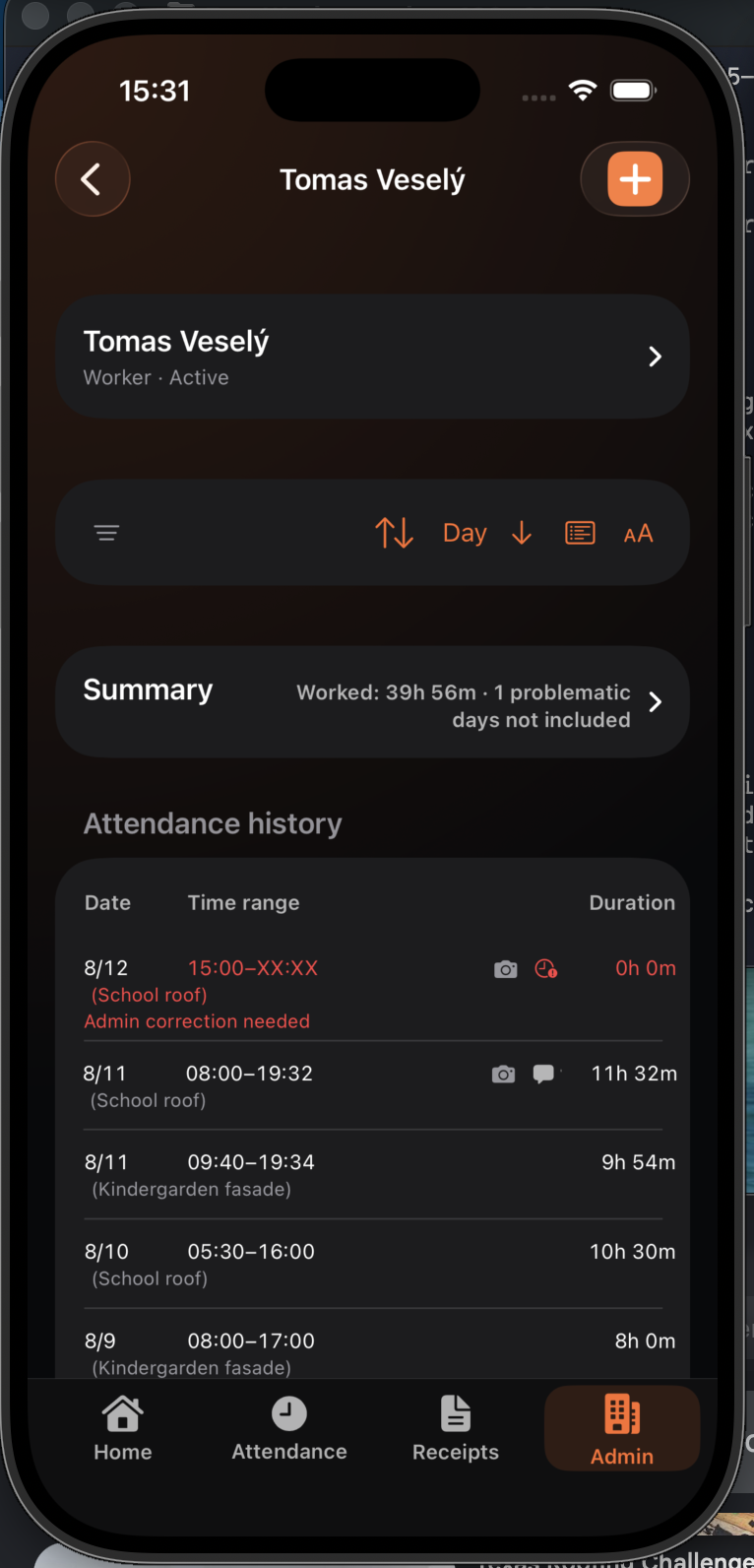
This scenario shows administrator, team lead, and worker collaboration. Every step names the active role.
In People, open a worker and the relevant day. The plus action offers Report problem.
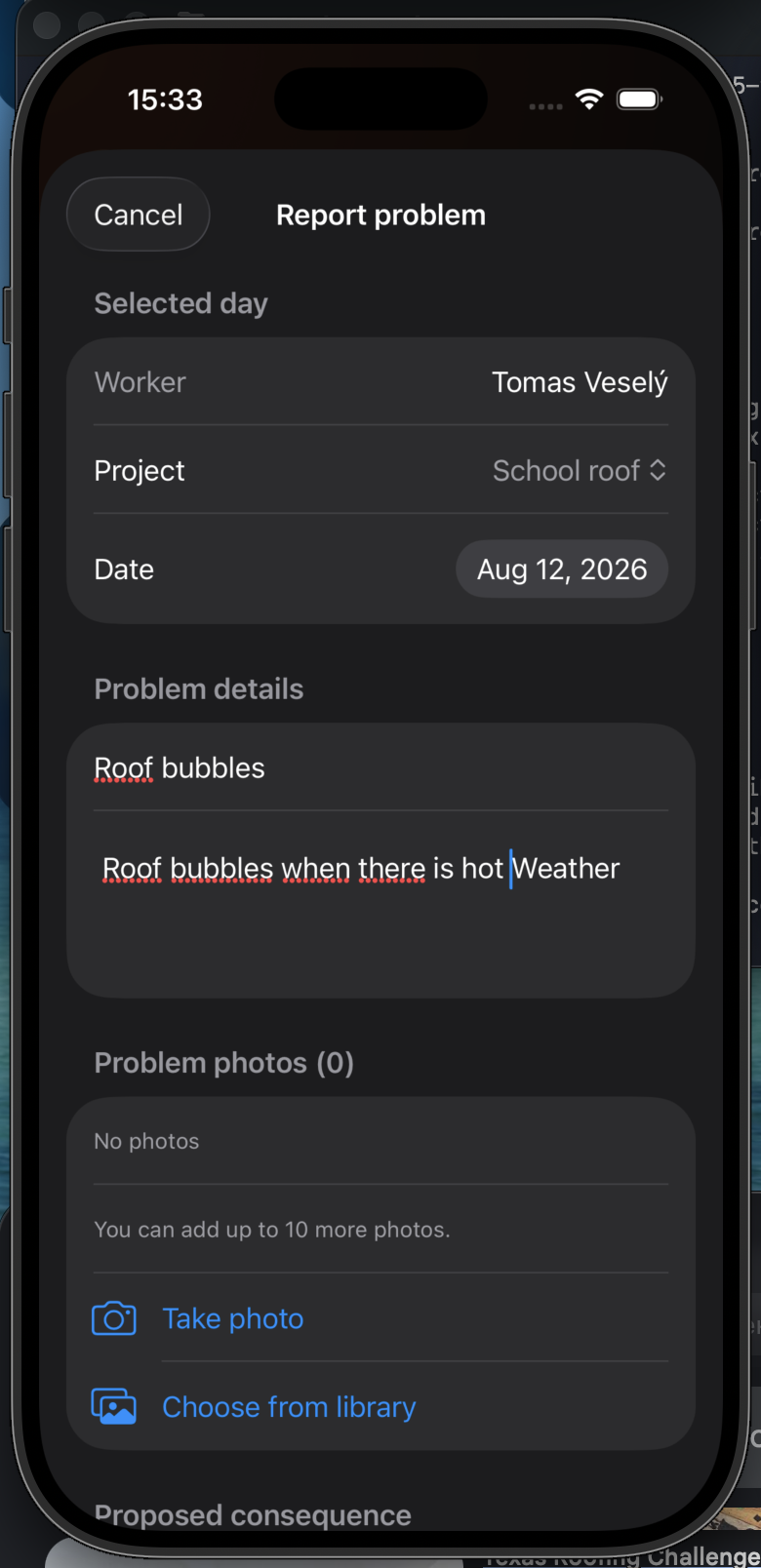
Select the project and day, then add a title, explanation, and optional photos.
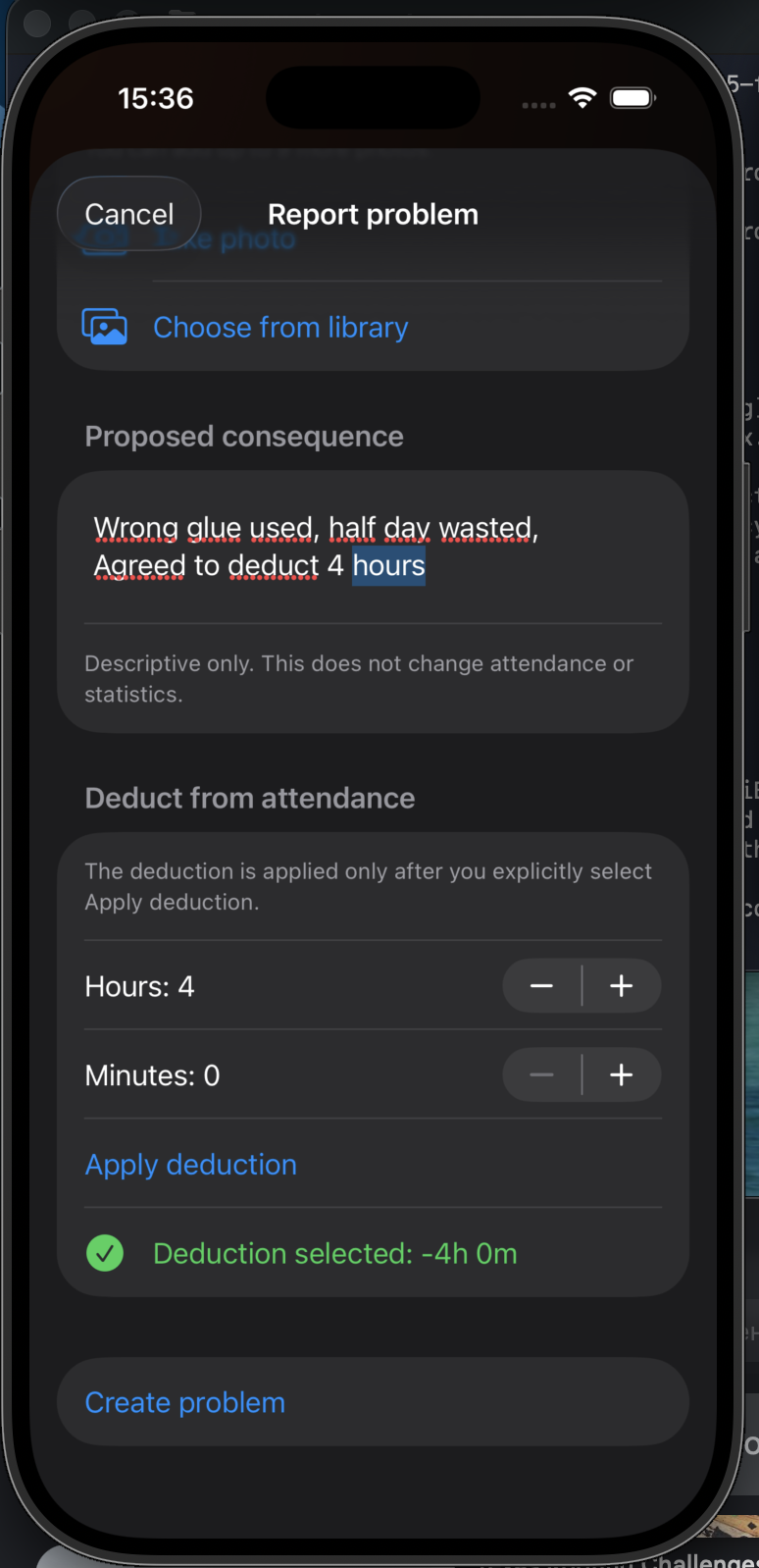
If company policy calls for it, explicitly attach an attendance adjustment. The example initially deducts four hours.
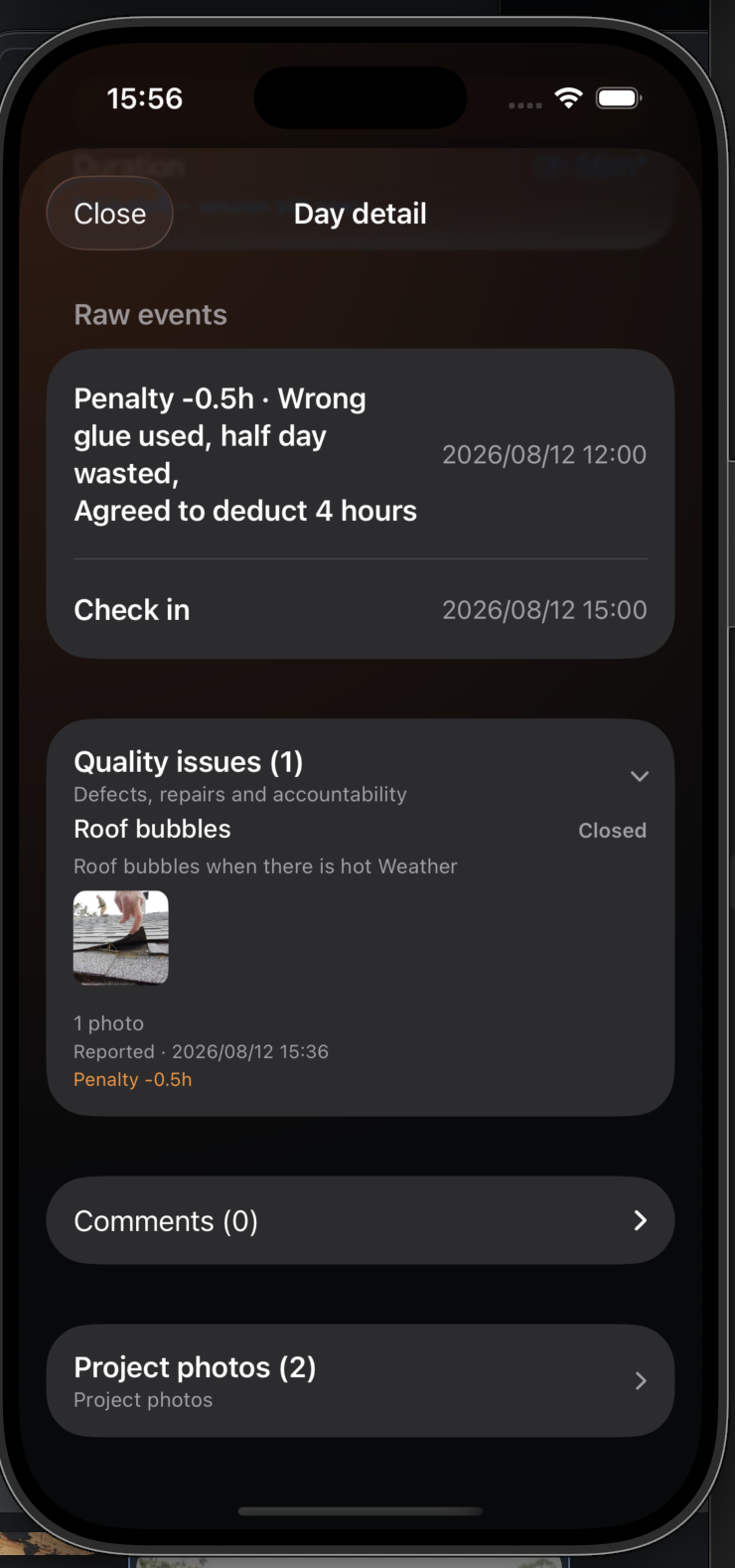
Day detail shows the report, photo, status, and attendance impact in one place.
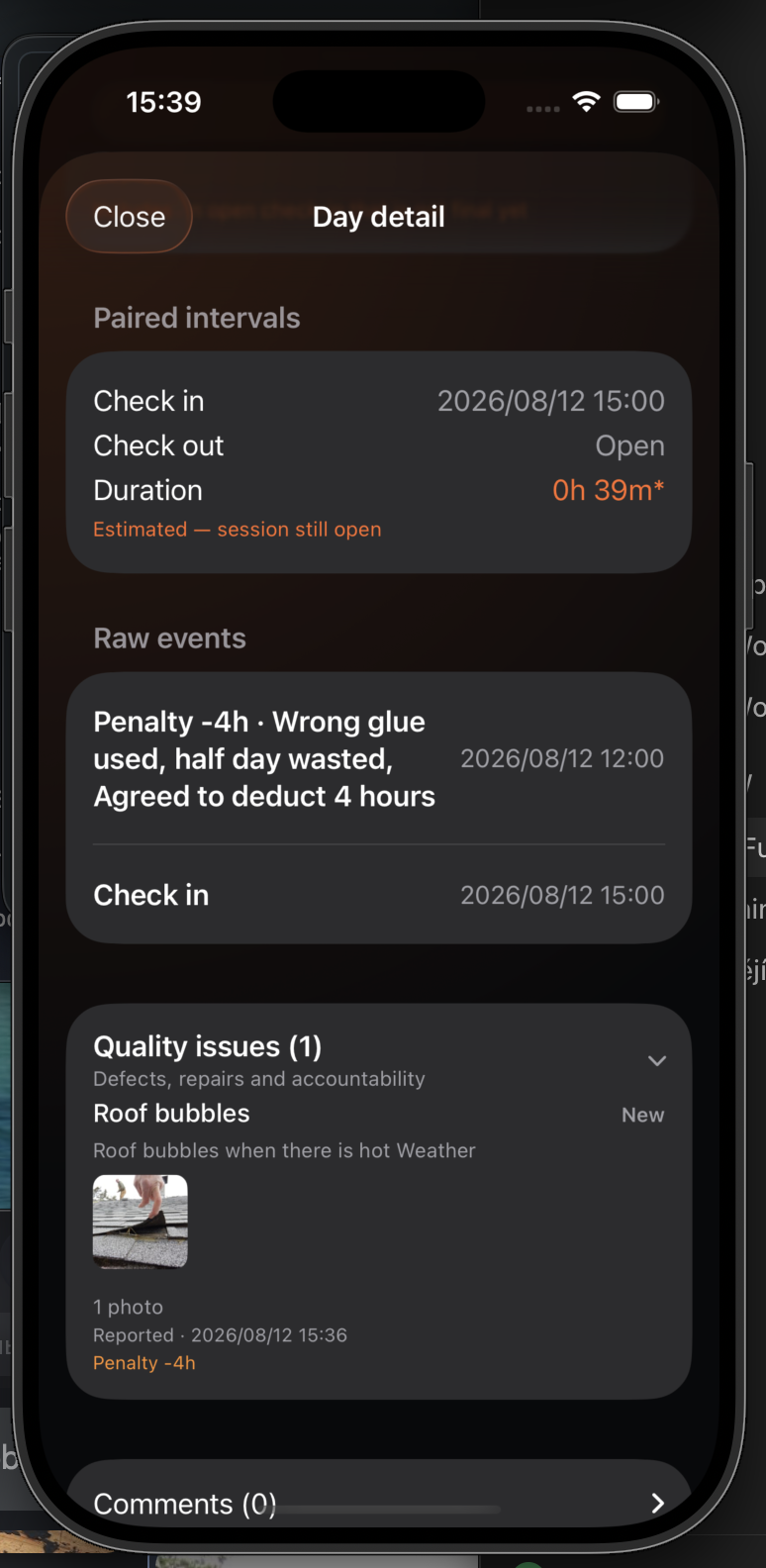
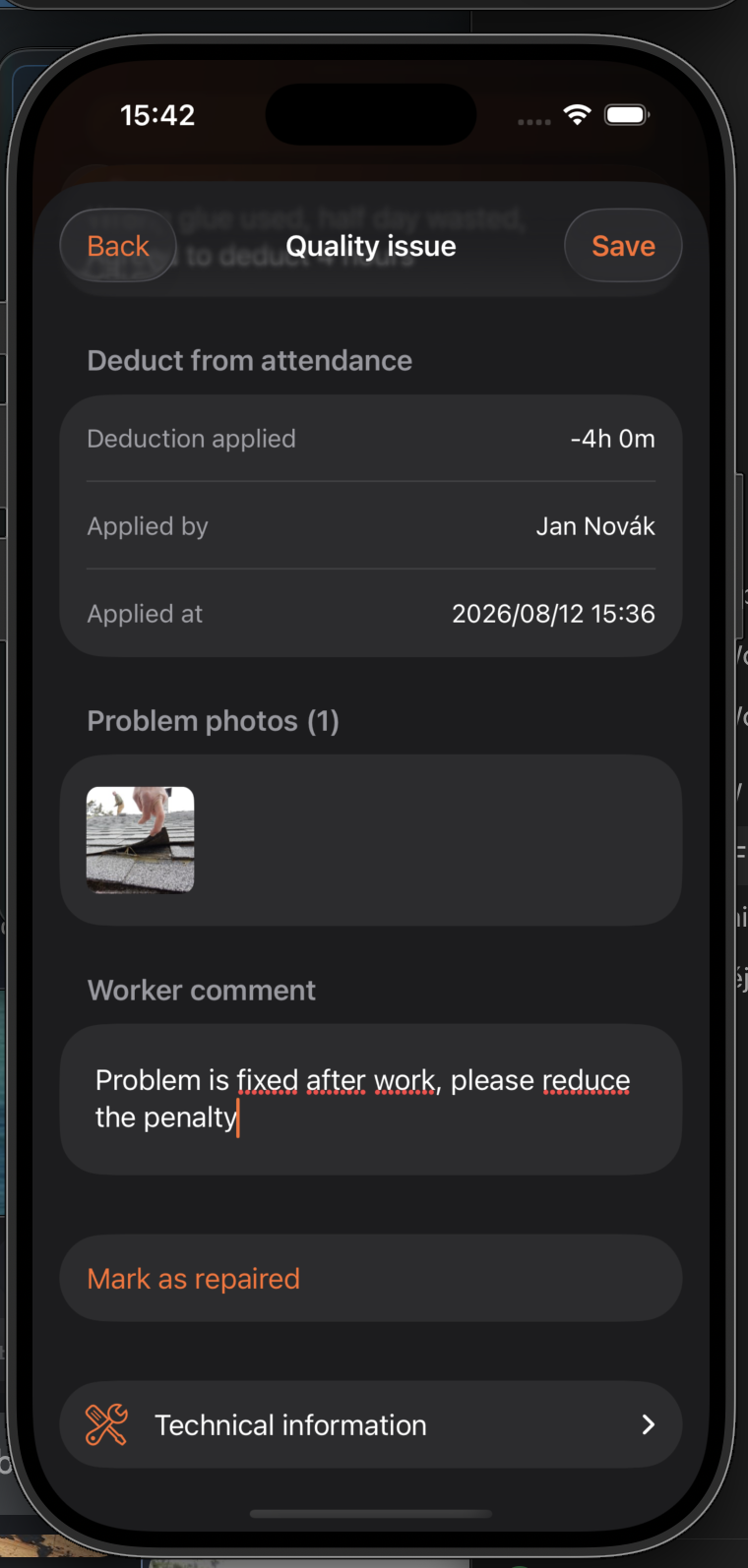
After fixing the problem, add a comment and select Mark as repaired. The issue moves to verification.
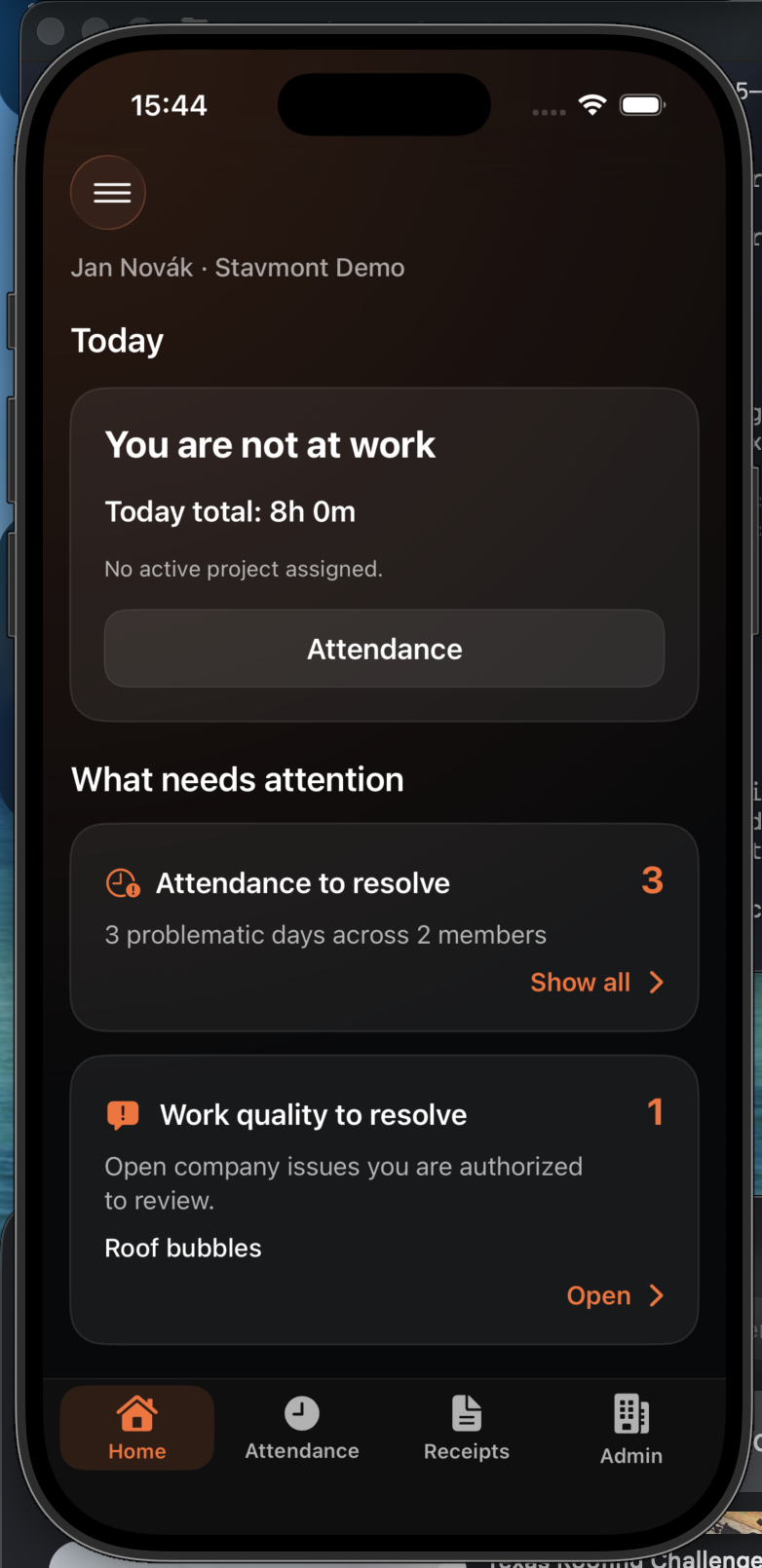
The Home dashboard lists the issue under Work quality to resolve.
The lead can confirm the repair, reject it, or close the issue directly.
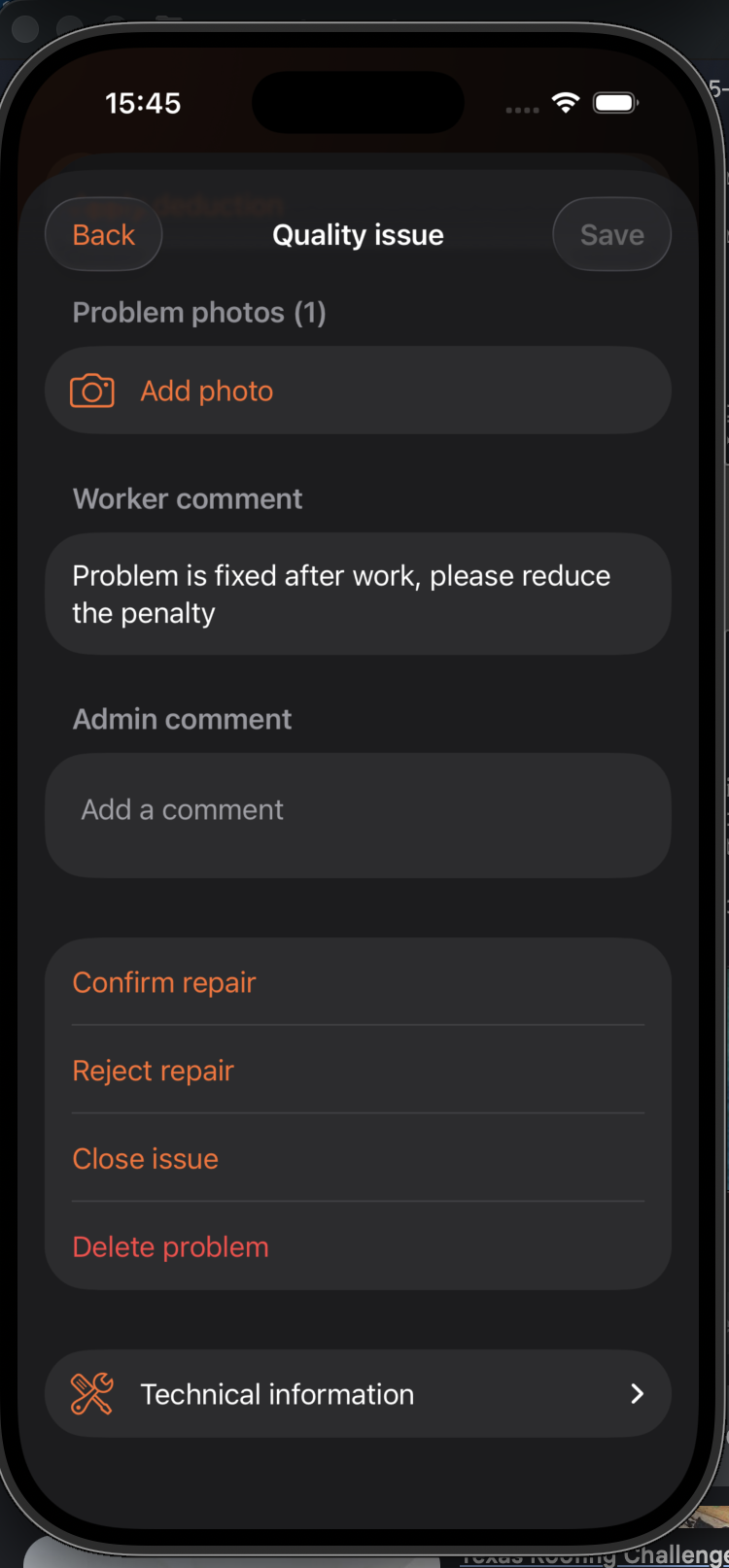
After verification, the final adjustment can change. Here, the original four-hour deduction is reduced to 30 minutes and the issue is closed.