01
Admin
Enable the company settings
Enable foreign-language item translation, choose a target language, and turn on approximate conversion to the preferred currency.
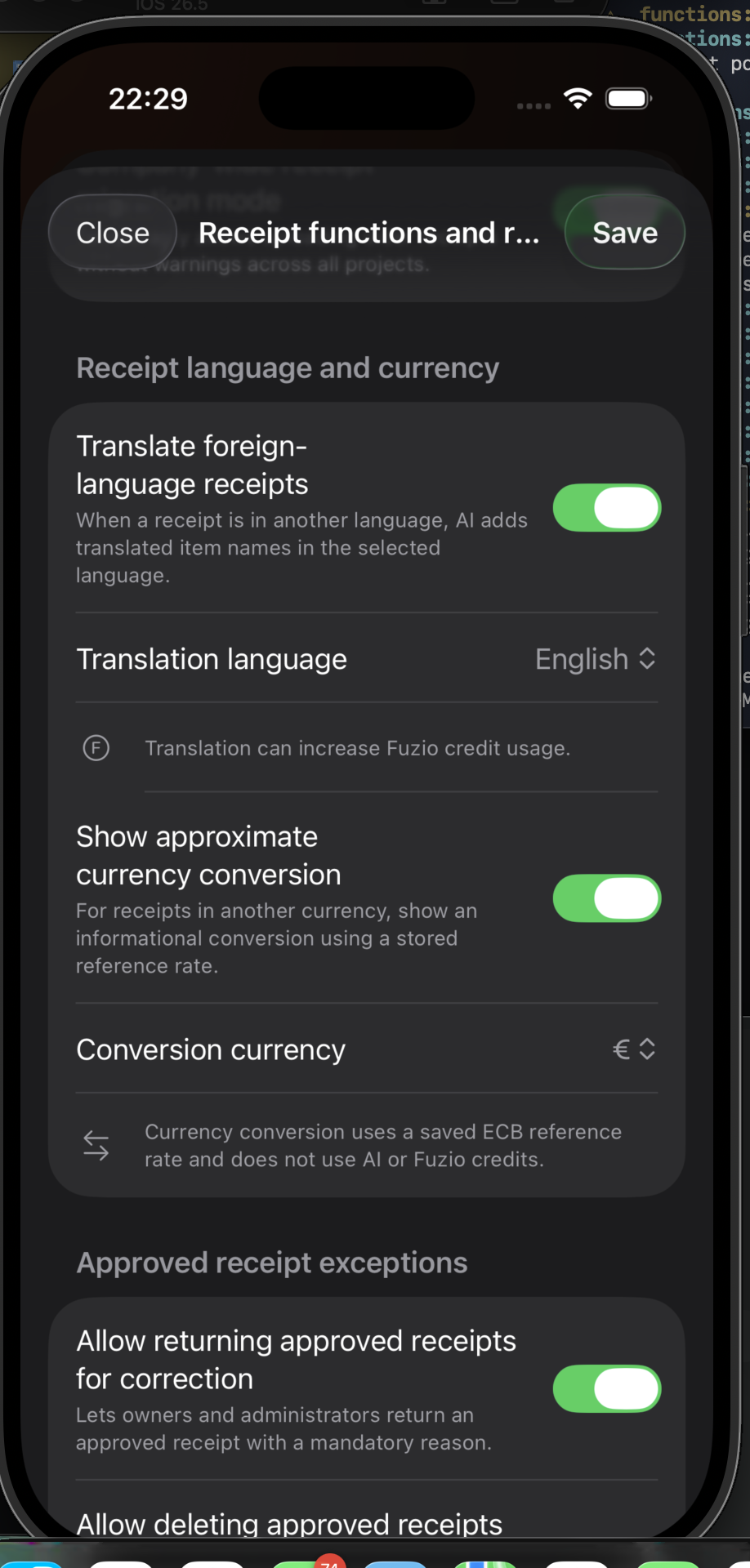
An administrator sets the translation language and reference currency. Permitted users can then switch between original and approximate values.
Enable foreign-language item translation, choose a target language, and turn on approximate conversion to the preferred currency.
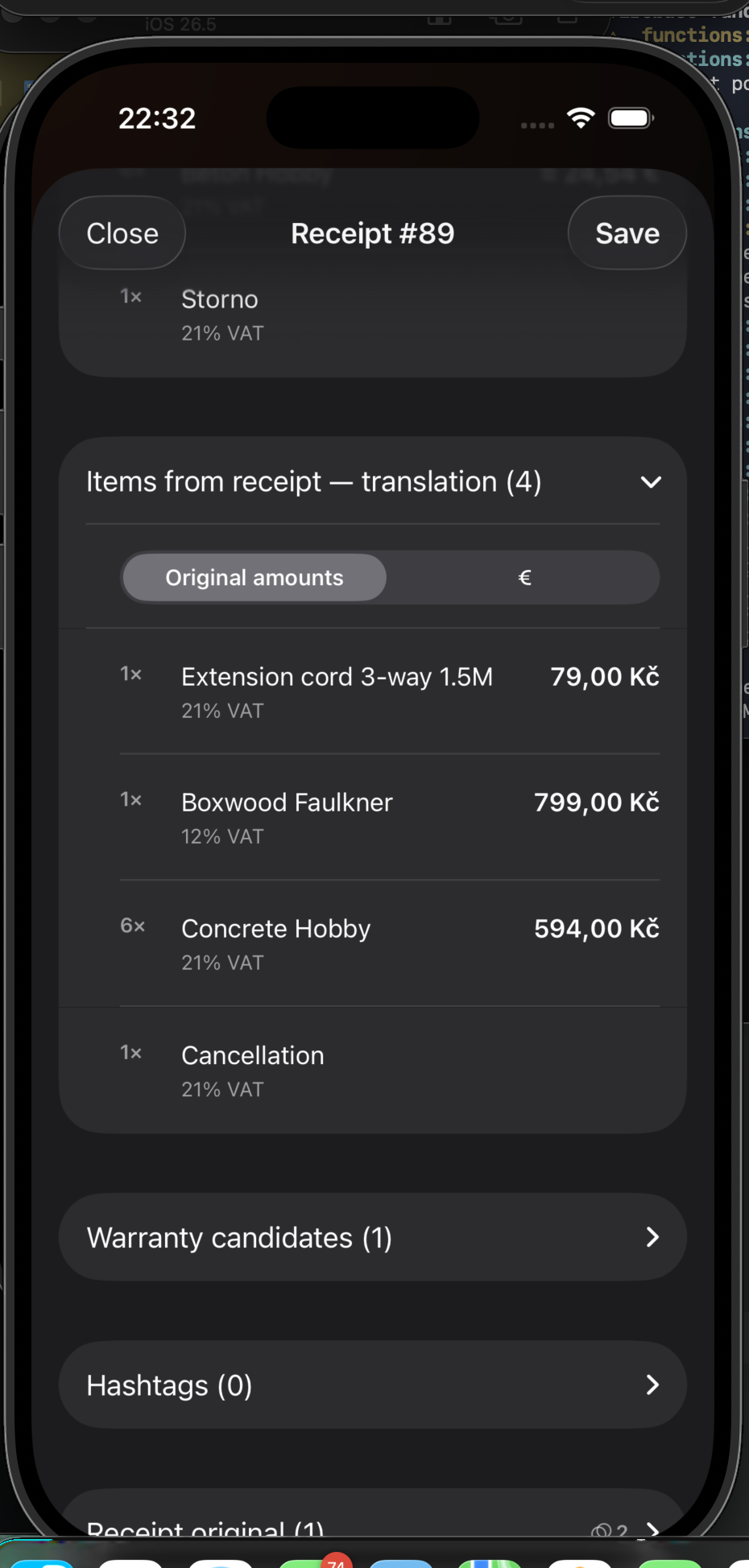
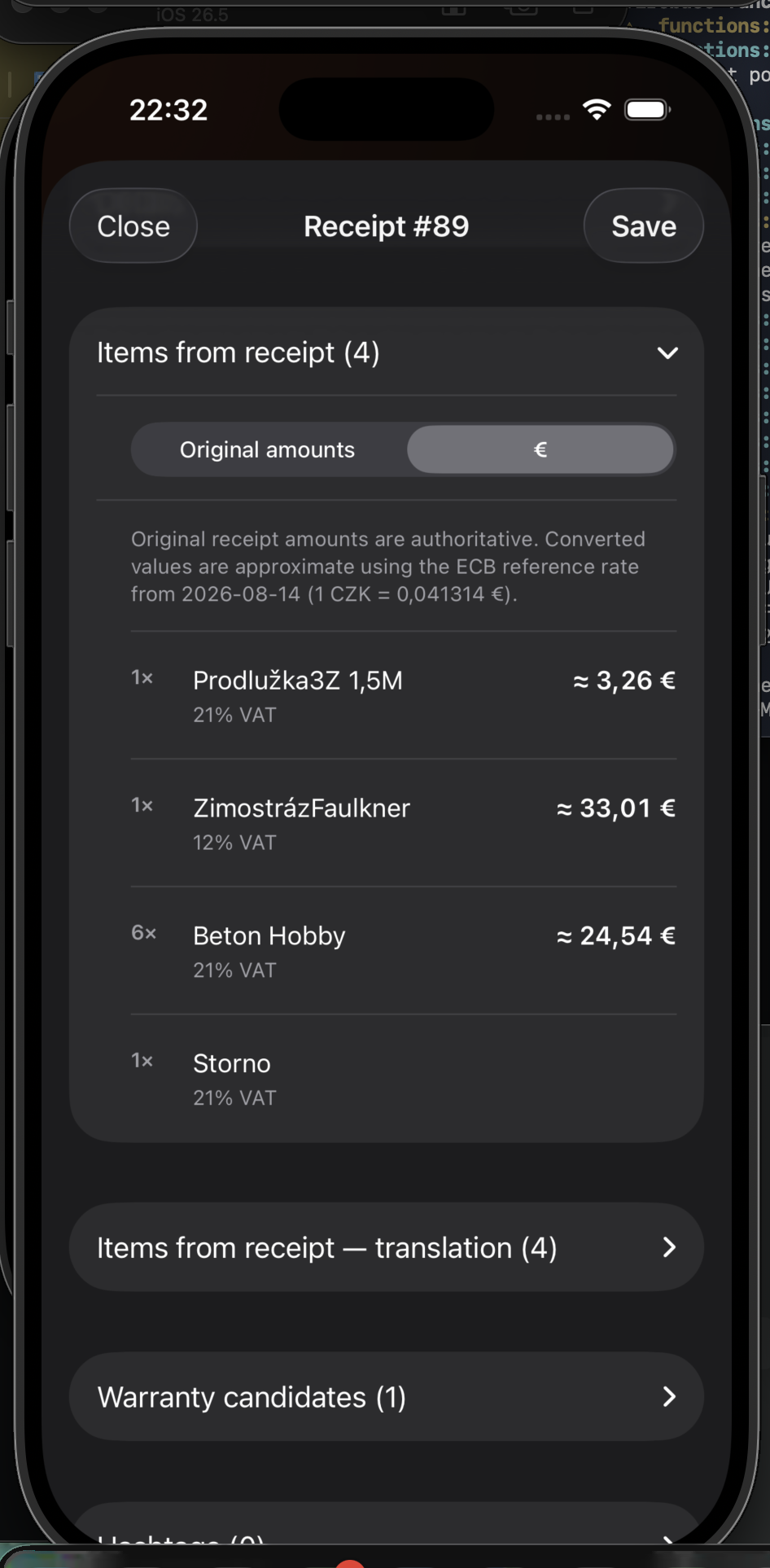
In receipt items, switch between original amounts and the approximate value in the configured currency. Original values remain authoritative.
A separate section shows translated item names. Search covers both original and translated text, so the same receipt can be found with “beton” or “concrete”.